
How to Use ChatGPT for Blogging in 2026: The Beginner’s Complete Guide
How Do You Use ChatGPT for Blogging in 2026?
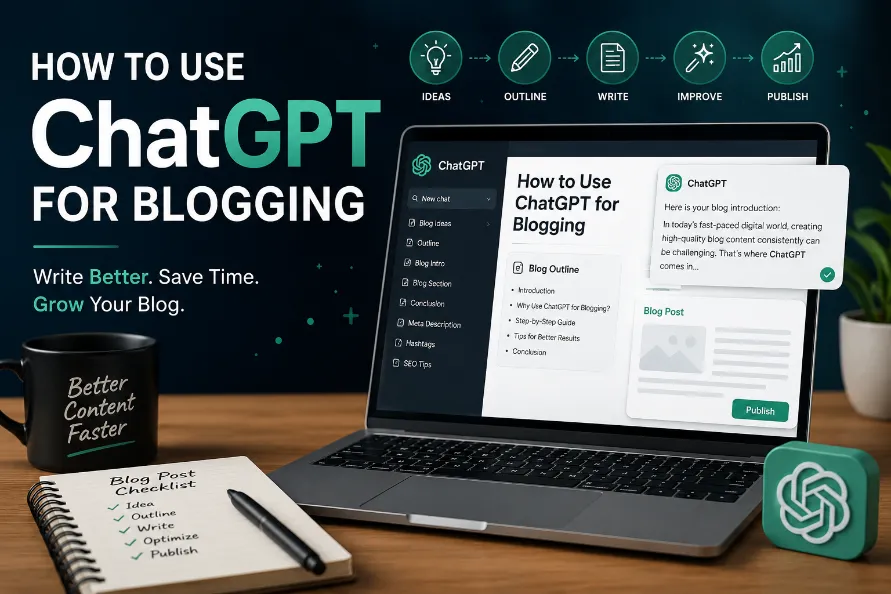
To use ChatGPT for blogging: (1) Sign up free at chat.openai.com — no credit card required. (2) Set your context first, then use it to brainstorm topics, generate outlines, and write sections one at a time — never the whole post at once. (3) Edit every output, verify any facts, and add personal examples before publishing. (4) Use the 15 prompts in this guide for SEO, social media, email, and YouTube repurposing. Full workflow: 45–90 minutes per post vs 3–5 hours without AI.
If you have been trying to figure out how to use ChatGPT for blogging, you are not alone. Most beginner guides were written in 2023 and either tell you to “ask ChatGPT to write your post” (which produces generic, forgettable content) or overwhelm you with technical jargon that assumes you already know what a “prompt” is.
This guide is different. It is written for bloggers who are new to AI tools in 2026 and want a practical workflow they can follow today. You will get a step-by-step system, 15 copy-paste prompts you can use right now, the exact mistakes that get beginners into trouble, and an honest look at what ChatGPT can and cannot do for your blog.
Using ChatGPT for blogging means leveraging the free AI chatbot at chat.openai.com as a writing assistant at multiple stages of your content workflow — including topic ideation, research summarization, outline creation, section drafting, SEO optimization, social media repurposing, and email marketing. ChatGPT does not replace a blogger. It accelerates and assists the process. The blogger still drives research accuracy, personal voice, and editorial judgment at every stage.
What ChatGPT Can (and Cannot) Do for Your Blog
Before you start, here is an honest picture of what you are working with. ChatGPT is powerful for certain blogging tasks — and genuinely unreliable for others. Knowing the difference saves hours of frustration.
| Task | ✅ ChatGPT Is Great At This | ❌ Do NOT Rely on ChatGPT For This |
|---|---|---|
| Topic Brainstorming | ✅ Generates dozens of angles instantly | |
| Outline Creation | ✅ Structures posts logically and fast | |
| First Drafts (section by section) | ✅ Gets words on the page quickly | |
| Meta Descriptions and Titles | ✅ Writes SEO-optimized versions well | |
| FAQ Generation | ✅ Creates realistic reader questions | |
| Social Media and Email Repurposing | ✅ Fast and consistent captions | |
| Current Statistics and Data | ❌ Frequently fabricates data — always verify | |
| Breaking News or Current Events | ❌ Knowledge cutoff — use Perplexity instead | |
| Personal Stories and Anecdotes | ❌ Cannot write your lived experience | |
| Publishing Without Human Editing | ❌ Unedited output risks EEAT penalties |
Asking ChatGPT to “write me a 1,500-word blog post about X” and publishing the result unedited. This produces content that sounds robotic, contains unverified statistics, lacks personal experience, and has zero EEAT signals — the exact signals Google uses to rank content in 2026. AI is the assistant. You are the editor and the expert.
Step 1: Set Up ChatGPT for Free (2 Minutes, No Credit Card)
- Go to chat.openai.comClick “Sign up” — free account, no credit card required. Sign up with email, Google, or Apple. The free tier gives you GPT-4o mini with daily usage limits that reset every 24 hours.
- Understand the interfaceThe text box at the bottom is where you type prompts. Each conversation is a “chat.” Start a new chat for each blog post to keep context clean and focused.
- Set your context at the start of every chatBefore asking anything, tell ChatGPT who you are and who you write for. This single step dramatically improves every response that follows. Use Prompt 1 below.
The 6-Step ChatGPT Blogging Workflow
- Set context (Prompt 1)Paste Prompt 1 into a new chat. Tell ChatGPT your blog name, niche, audience, and tone. Every response in that chat will be calibrated to your specific readers.
- Brainstorm and filter topics (Prompts 2 + 3)Use Prompt 2 to generate 15 topic ideas, then Prompt 3 to identify the 5 with the lowest competition. Pick the one that matches your real expertise.
- Build your outline (Prompt 4)Use Prompt 4 to generate a full structured outline. Review and adjust it before writing a single word — the outline is your blueprint.
- Write your intro yourself, then draft section by section (Prompts 5 + 6)Write your opening 2-3 sentences yourself. Then use Prompt 5 for each H2 section and Prompt 6 for alternative intro options. Edit each section before moving on.
- Optimize for SEO (Prompts 7 + 8 + 9)Once the draft is complete, run Prompt 7 for title variations, Prompt 8 for meta descriptions, and Prompt 9 for your full FAQ section.
- Repurpose across channels (Prompts 10–15)Use the remaining prompts to humanize any AI-ish paragraphs, create social media posts, write your email teaser, and even adapt the post into a YouTube script outline.
15 Copy-Paste ChatGPT Prompts for Bloggers (Use These Today)
Every prompt below is ready to copy and use right now. Replace the bracketed placeholders with your details and paste directly into ChatGPT. These 15 prompts cover every stage of the blogging process — from your very first idea to your last social media caption.
You are helping me write blog posts for [YOUR BLOG NAME], a blog about [YOUR NICHE] aimed at [YOUR AUDIENCE]. My readers are typically [BEGINNER/INTERMEDIATE] and care about [THEIR KEY PAIN POINTS]. My writing tone is [CONVERSATIONAL/PROFESSIONAL/FRIENDLY]. Keep all responses focused on this audience and tone throughout our conversation.
Generate 15 blog post ideas for my [YOUR NICHE] blog. For each idea include: a specific SEO-friendly title, the primary search intent (informational, commercial, or navigational), who would search for it, and one reason it would rank. Avoid broad, oversaturated topics. Focus on angles where personal experience adds real value.
From this list of blog topics: [PASTE YOUR LIST], identify the 5 that would have the lowest competition on Google while still having meaningful search volume. For each explain: why it is winnable for a small blog, estimated search volume tier (low/medium/high), and what content angle would outrank what is currently on page one.
Create a detailed outline for a blog post titled: "[YOUR EXACT TITLE]"

Include:
- A 2-sentence introduction hook targeting the reader's pain point
- 4-6 H2 sections with 3-4 bullet points each and one suggested H3 per section
- A "Common Mistakes" section
- An FAQ section with 6 realistic reader questions
- A conclusion with one clear call to action

Target audience: [AUDIENCE]. Target keyword: "[KEYWORD]". Word count: [TARGET].
Write the section for: "[H2 HEADING]"

Cover these points: [PASTE YOUR 3-4 BULLET POINTS]

Requirements:
- 150-200 words
- Conversational tone, no corporate jargon
- Start with a direct statement — not a question, not "In this section..."
- Include one specific, practical example
- Do NOT add a conclusion paragraph
- Do NOT use: "In conclusion," "It is important to note," "In today's world," or "Delve"
Write 3 different opening paragraphs (2-3 sentences each) for a blog post titled "[YOUR TITLE]." Use a different hook technique for each:
- Version 1: A relatable pain-point scenario the reader has lived through
- Version 2: A surprising statistic or counterintuitive fact
- Version 3: A bold statement that challenges a common assumption

Target reader: [AUDIENCE]. Do not start any version with "Have you ever..." or "In today's world."
Generate 10 SEO title tag variations for a post about [TOPIC]. Mix these formats:
- 3 number-led titles ("7 Ways to...")
- 2 question titles ("How Do You...")
- 2 how-to titles ("How to... in 2026")
- 2 comparison titles
- 1 negative-angle title ("Stop Doing X. Do This Instead")

All titles must be under 60 characters and include the keyword "[TARGET KEYWORD]." Mark your top 3 picks with a star.
Write 3 meta description variations for a post titled "[YOUR TITLE]." Each must:
- Be under 155 characters (count carefully and state the count)
- Include the keyword "[TARGET KEYWORD]" naturally
- Lead with a benefit or hook — not "In this post we cover..."
- End with a subtle CTA: "Start free," "See the guide," or "Learn how"

Label each version with its exact character count.
Generate 7 FAQ questions and answers for a blog post about "[YOUR TOPIC]."

Requirements:
- Questions must be phrased exactly how a real person types them into Google
- Each answer: 2-4 sentences, direct and complete — no vague "it depends" without an actual answer
- Include at least 2 questions starting with "Can I...", 2 with "How do I...", and 1 with "Is it..."
- Do not repeat information already in the main post body
Rewrite this paragraph to sound more human and less AI-generated: "[PASTE PARAGRAPH]"

Make these specific changes:
- Shorten sentences to an average of 15 words or fewer
- Replace any word over 3 syllables with a simpler alternative
- Remove all filler phrases: "It is worth noting," "In order to," "At the end of the day"
- Add one conversational aside that feels like a real person thinking out loud
- Keep the same core information — just make it sound like a real writer wrote it
Create a social media pack for a blog post titled "[YOUR TITLE]" with URL [YOUR URL]:

- 2 X/Twitter posts (under 280 chars): one stat-led, one bold opinion
- 1 LinkedIn post (150-200 words): professional tone, ends with a question to drive comments
- 1 Facebook post (100-130 words): conversational, community-focused, 3 relevant emojis
- 1 Pinterest pin description (under 150 chars): keyword-rich, actionable, ends with "Save this for later"

Target audience: [AUDIENCE]. Main keyword: "[KEYWORD]."
Write a 120-word email newsletter teaser for my blog post titled "[YOUR TITLE]."

Include:
- Subject line: under 45 characters, curiosity-driven, no clickbait
- Preview text: under 90 characters (shown in inboxes before opening)
- Body: 3-4 short sentences that tease the main value without giving it all away
- CTA: one clear link sentence ending with "[READ THE FULL GUIDE →]"
- Tone: [YOUR TONE]
- Do not start the body with "I" or "We"
Adapt this blog post outline into a YouTube video script outline for a 6-8 minute video about "[YOUR TOPIC]":

[PASTE YOUR BLOG OUTLINE]

Include:
- 30-second hook: opens with a bold statement, NOT "Hey guys, welcome back"
- 20-second value promise: "By the end of this video you will know..."
- Main sections adapted for spoken delivery (shorter, conversational transitions)
- 2 on-screen visual suggestions per section (text overlay, B-roll idea, or graphic)
- 30-second CTA ending with subscribe prompt and one related video suggestion
I want to write about "[YOUR TOPIC]." The top Google results for this keyword currently cover [BRIEFLY DESCRIBE COMPETITOR CONTENT].

Suggest 5 unique content angles that:
- Are NOT already covered by the top Google results
- Still satisfy the search intent of someone typing "[YOUR KEYWORD]"
- Can be written from a beginner or personal experience perspective
- Would make a reader choose my post over existing results

For each angle: suggest a title and one-sentence description of the content approach.
Write 3 call-to-action variations for the end of a blog post about "[YOUR TOPIC]." My goal is [SUBSCRIBE TO NEWSLETTER / DOWNLOAD FREEBIE / READ ANOTHER POST / BUY A PRODUCT].

For each CTA write:
1. One sentence connecting what the reader just learned to the next action
2. One sentence stating the benefit of taking that action
3. One clear, specific action line (e.g., "Click here to download the free checklist")

Tone: [YOUR TONE]. Avoid generic lines like "Let me know in the comments" or "Share if you liked this."
The 5 Mistakes That Kill AI-Assisted Blog Posts
❌ Mistake 1: Publishing Without Editing
Unedited AI content is recognizable to readers and increasingly to Google’s helpful content systems. Every post needs a human editing pass before publishing. No exceptions.
❌ Mistake 2: Trusting AI Statistics Without Verification
ChatGPT frequently invents plausible-sounding statistics. If a stat appears in your draft, verify it against the primary source before publishing. One fabricated stat can destroy reader trust permanently.
❌ Mistake 3: Writing the Full Post in One Prompt
One-shot posts are unfocused, repetitive, and generic. The section-by-section approach from Prompt 5 produces tighter, more readable, and more unique content every single time.
❌ Mistake 4: Skipping the Context-Setting Step
Starting a chat with just “Write me a blog post about X” without Prompt 1 guarantees a generic response. Always set your context, audience, tone, and niche at the top of every new chat.
❌ Mistake 5: Zero Personal Voice in the Final Post
The one thing AI cannot do is have your specific experience. If your post has no personal observations, examples, or opinions, it gives readers no reason to trust you over any other page on the same topic — and Google notices.
Free vs. Paid ChatGPT: What Do Bloggers Actually Need?
| Feature | ChatGPT Free (GPT-4o mini) | ChatGPT Plus ($20/mo — GPT-4o) |
|---|---|---|
| Blog post drafting and outlining | ✅ Fully capable | ✅ Higher quality output |
| All 15 prompts in this guide | ✅ Works for all 15 | ✅ Works for all 15 |
| Daily message limits | ⚠️ Limited — resets daily | ✅ Much higher limits |
| Web browsing for current data | ❌ Not available | ✅ Real-time web search |
| Image generation (DALL-E) | ❌ Not available | ✅ Available |
| File upload (PDFs, docs) | ⚠️ Very limited | ✅ Full access |
| Beginner recommendation | 💚 Start here — more than enough | Upgrade when you hit daily limits consistently |
Pair free ChatGPT with free Perplexity AI (perplexity.ai) — which provides real-time web search with cited sources. Use ChatGPT for writing and Perplexity for research and fact-checking. Together they cover everything a beginner blogger needs at a total cost of $0 per month.
Frequently Asked Questions
Can I use ChatGPT to write blog posts for free?
Yes. ChatGPT’s free tier at chat.openai.com requires no credit card and gives you access to GPT-4o mini with daily usage limits that reset every 24 hours. The free tier is fully capable of running all 15 prompts in this guide and producing polished blog posts. Most beginners who blog 1–2 posts per week never need to upgrade to a paid plan.
Will Google penalize AI-written blog posts?
No. Google does not penalize content for being AI-generated. An Ahrefs study of 600,000 top-ranking pages found 86.5% contain some AI-generated content. Google penalizes thin, low-value, and unedited content — regardless of how it was produced. AI-assisted posts with human editing, personal experience, accurate facts, and genuine value rank perfectly well in 2026.
What is the best ChatGPT prompt for writing a blog post?
The most effective approach is the section-by-section method from Prompt 5 in this guide. Paste the H2 heading and bullet points, ask for 150–200 words in a conversational tone, and explicitly forbid filler phrases. This produces far better results than asking for the entire post in one prompt. Always use Prompt 1 first to set your context.
Is ChatGPT or Claude better for blogging?
Both are excellent for different tasks. ChatGPT is better for versatility, quick ideation, headlines, and short-form content like social captions. Claude is better for long-form structured writing and maintaining a consistent tone across an entire post. Many bloggers use ChatGPT for Prompts 1–3 (ideation and structure) and Claude for Prompts 4–6 (actual drafting). Both have generous free tiers — try both.
How do I make AI-generated blog posts sound more human?
Use Prompt 10 in this guide for any paragraph that sounds robotic. Five additional techniques: write your introduction yourself; add specific personal examples AI cannot fabricate; delete any sentence starting with “In conclusion,” “It is important to note,” or “In today’s world”; use contractions and casual phrasing in your editing pass; and run the draft through the free Hemingway Editor to cut any sentence rated “Hard” or “Very Hard” to read.
How long does it take to write a blog post with ChatGPT?
Using the 6-step workflow and the 15 prompts in this guide, most beginners produce a polished 1,500-word blog post in 45 to 90 minutes total. Without AI assistance, the same post typically takes beginners 3 to 5 hours. The biggest time savings come from Prompts 2–4 (topic and outline generation) — decisions that used to take hours of research now take under 15 minutes.
What should I never use ChatGPT for when blogging?
Never use ChatGPT to state specific statistics or facts without verifying them from primary sources; write about your personal experiences (it will fabricate them convincingly); cover breaking news or events after its training cutoff; publish unedited output directly; or substitute for professional legal, medical, or financial advice. Always add appropriate disclaimers on regulated topics.
🏆 Start Using These 15 Prompts Today — For Free
ChatGPT is the most powerful free writing assistant available to bloggers in 2026. But the bloggers who get the best results are not the ones who let it do all the work. They are the ones who use it as a system: set context, build the outline, draft section by section, verify facts, add personal voice, and then repurpose everything with the SEO and social prompts.
Open chat.openai.com right now, paste Prompt 1 with your blog details, and use Prompt 2 to generate your next 15 blog topic ideas. That is a full month of content ideas in under 10 minutes — completely free. For more on how AI tools work together to power your blogging workflow, read our guides on what AI wrapper products are, how AI actually works, and how to save and organize your best AI conversations so no great prompt ever gets lost again.