Best Uncensored AI Image Generators 2026
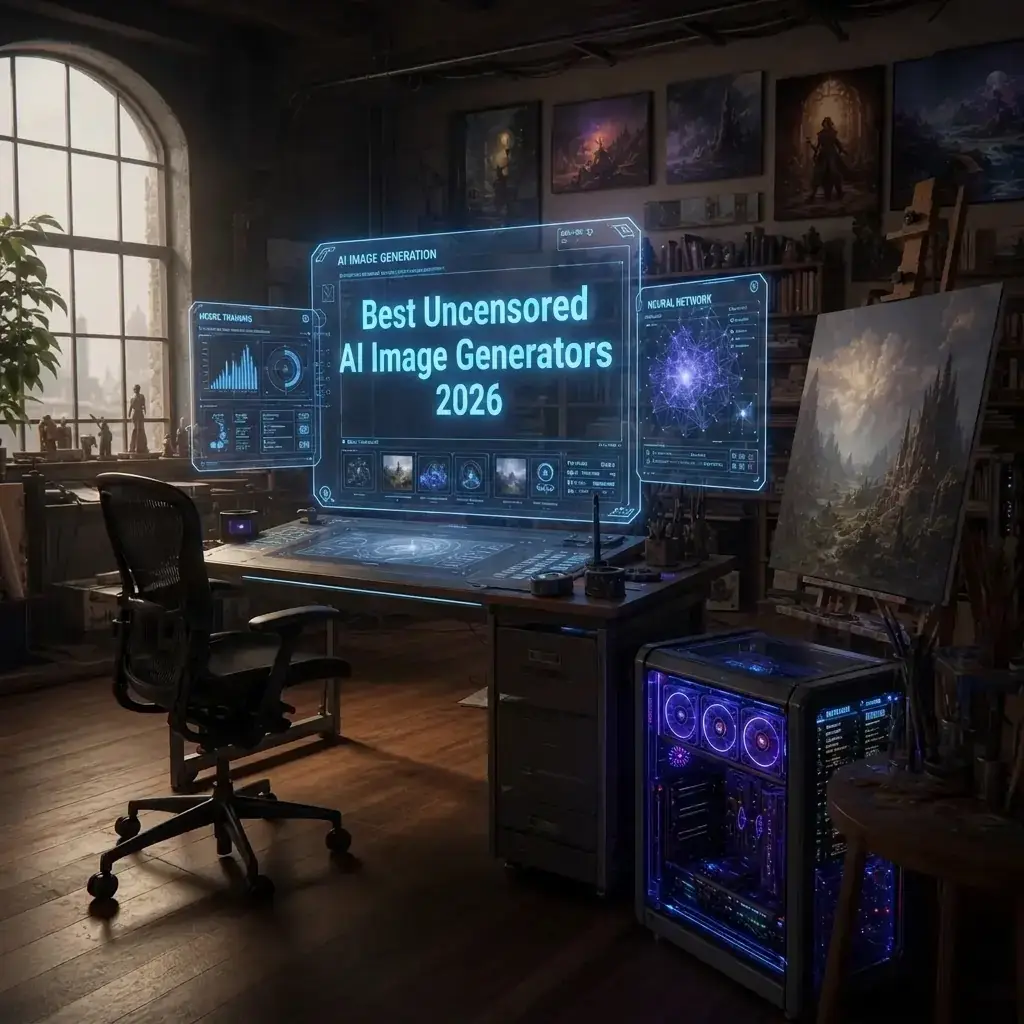
The landscape of artificial intelligence has shifted dramatically over the past few years. As we move deeper into 2026, the demand for absolute creative freedom has reached an all-time high. While mainstream platforms continue to tighten their safety guidelines—often resulting in the over-censorship of harmless artistic concepts like anatomical studies, dark fantasy horror, or political satire—creators are looking elsewhere. The search for the best uncensored ai image generators 2026 is no longer just a niche pursuit; it is a fundamental requirement for professional artists, game developers, and hobbyists who refuse to have their imagination confined by corporate algorithms.
If you have ever been frustrated by a vague “prompt blocked” error when trying to generate a classic renaissance painting or an action-packed sci-fi scene, you are not alone. The movement toward open creativity is thriving. In this comprehensive guide, we will explore the best uncensored ai image generators, dive deep into the hardware and software needed to run them, and examine the legal and ethical nuances of unrestricted AI art.
Why the Demand for Uncensored AI Art is Surging in 2026
The early days of AI image generation were dominated by closed-ecosystem giants. While these tools were revolutionary, their increasingly strict safety guidelines created unexpected problems. Medical illustrators found themselves unable to generate accurate anatomical diagrams. Fantasy writers couldn’t create concept art for their horror novels because the AI flagged the prompts as “violent.” Fine artists were restricted from exploring the human form due to blanket bans on nudity.
Overcoming censorship in commercial ai creative tools has become a primary objective for professionals who rely on these systems for their livelihood. The pushback isn’t about promoting harmful content; it’s about reclaiming the context and nuance that algorithms often fail to understand. An AI cannot distinguish between a renaissance-style nude painting and inappropriate imagery, so it bans both.
This necessity for nuance has fueled the rapid development of unrestricted models, empowering creators to generate exactly what they envision without a digital chaperone looking over their shoulder.
Open Weight Models vs Cloud Based Image Generators
When searching for unrestricted AI tools, you will encounter two primary ecosystems. Understanding the debate between open weight models vs cloud based image generators is crucial for choosing the right workflow.
Cloud-Based Generators
Cloud-based platforms host the AI models on their own servers. You access them via a web browser or an app.
- Pros: No expensive hardware required, instant access, user-friendly interfaces.
- Cons: You are at the mercy of the host’s terms of service. Even platforms claiming to be “uncensored” may quietly implement shadow-bans on certain words to appease payment processors or server hosts. Privacy is also a concern, as your prompts and generated images are stored on remote servers.
Open-Weight (Local) Models
Open-weight models are downloadable AI architectures that you run directly on your own computer hardware.
- Pros: Absolute zero censorship. Once the model is on your hard drive, no one can dictate what you generate. They offer unparalleled customization through extensions and plugins. Furthermore, using privacy focused local ai image generation software guarantees that your creative concepts, proprietary character designs, and prompt histories never leave your machine.
- Cons: Requires a powerful computer (specifically a high-end GPU), and the learning curve can be steep.
The Best Uncensored AI Image Generators 2026
If you are ready to ditch the training wheels, here is a curated breakdown of the most powerful and flexible tools available this year.
1. The Flux and Stable Diffusion Ecosystems
When asking which ai image generator has the least restrictions, the answer inevitably points to open-source foundation models. By 2026, the community has rallied heavily around advanced iterations of Flux and Stable Diffusion. Because these base models are open-weight, the community fine-tunes them to remove innate biases and restrictions.
If you are looking for high resolution unfiltered ai art styles, downloading base models and running them through local interfaces like ComfyUI, Automatic1111, or Forge is the gold standard. These setups allow you to utilize Stable Diffusion fine tuned checkpoints for realism, which are custom versions of the AI specifically trained by the community to understand human anatomy, diverse art styles, and complex lighting without safety filters.
2. Civitai (The Cloud Counterpart)
Civitai is primarily known as a repository for AI models, but its on-site generation tool has become a powerhouse. By allowing users to generate images using community-trained models directly on their servers, it acts as one of the best free uncensored nsfw ai image generators 2026.
- Features: Access to thousands of unrestricted models, LoRAs, and textual inversions.
- Note: While it allows for NSFW (Not Safe For Work) and unfiltered artistic generation, it still adheres to strict legal guidelines regarding non-consensual imagery and illegal content, proving that “uncensored” does not mean unmoderated.
3. Mage.space and Tensor.art
For those who lack the hardware to run models locally but want the freedom of open-source fine-tunes, platforms like Mage.space and Tensor.art are top contenders. They offer premium tiers, but their free or low-cost options rank highly among the best uncensored ai image generators 2026. They provide easy-to-use interfaces where you can select unrestricted checkpoints and generate everything from photorealistic portraits to intense sci-fi battles.
4. Top Stable Diffusion Alternatives for Creative Freedom
Beyond the heavy hitters, new architectures have emerged. Next generation latent diffusion models for artistic expression are being developed by independent research labs. These models focus heavily on prompt adherence and artistic stylization, offering native tools that rival midjourney without the draconian keyword bans. Keep an eye on open-source projects hosted on Hugging Face that utilize cascade or flow-matching architectures.
Hardware and Installation: Taking Control
To truly unlock the potential of these models, you need to bring them in-house. Setting up a private ai art workstation at home is an investment in your artistic freedom.
Recommended Hardware Specifications for 2026
AI image generation is incredibly VRAM (Video RAM) hungry. Here is what a baseline unrestricted workstation looks like today:
- GPU (Graphics Processing Unit): Nvidia is still the king of local AI due to CUDA optimization. Aim for an RTX 4080, 4090, or the newer 50-series cards. You want a minimum of 16GB of VRAM, though 24GB is highly recommended for generating large batches of high-resolution images.
- System RAM: 64GB DDR5. When loading massive 2026-era models, your system RAM acts as a crucial buffer.
- Storage: 2TB to 4TB NVMe SSD. AI models, LoRAs, and generated images take up hundreds of gigabytes very quickly. Speed is essential for loading times.
The Software Stack
Once your hardware is ready, you need to install privacy focused local ai image generation software. The most popular choices are:
- ComfyUI: A node-based graphical user interface. It looks like a complex web of connected boxes, but it offers the most granular control over your generation pipeline.
- WebUI Forge: An optimized, user-friendly interface that feels traditional but handles memory allocation brilliantly, allowing faster generation times on older GPUs.
By utilizing these interfaces, you can download open source ai models for unrestricted art directly from repositories like Hugging Face or Civitai, bypassing corporate oversight entirely.
Advanced Techniques for Unrestricted AI Art
Having an uncensored generator is only half the battle; knowing how to communicate with it is where the true artistry lies.
Photorealistic Text to Image Prompt Engineering Techniques
In 2026, prompting has moved far beyond simple descriptors. To get the most out of unfiltered models, you must structure your prompts meticulously.
- The Subject Block: Start with the most important elements. (e.g., “A hyper-photorealistic portrait of a grizzled space marine, dirt-smudged face, cinematic lighting, 8k resolution.”)
- The Medium & Style Block: Define the camera lens, film type, or artistic medium. (e.g., “shot on 35mm lens, Kodak Portra 400, volumetric fog, rim lighting.”)
- The Negative Prompt: Uncensored models tend to hallucinate because they have no guardrails. Use strong negative prompts to keep the AI on track: (e.g., “cartoon, 3d render, plastic skin, bad anatomy, missing fingers, text, watermark.”)
How to Bypass Image Generation Safety Filters
What if you are forced to use a commercial, censored tool for a specific project? Knowing how to bypass image generation safety filters using clever semantics is a valuable skill. AI filters usually operate on keyword triggers.
- Use Synonyms and Metaphors: Instead of “blood” (which might be banned), use “crimson liquid spatter.” Instead of “naked,” use “classical renaissance figure study.”
- Distract the Filter: Sometimes, overwhelming the prompt with complex, benign descriptions of lighting and environment can push borderline subject matter past sensitive AI gatekeepers.
- The Weighting Trick: Use syntax to de-emphasize trigger words while still keeping them in the prompt.
Note: While these tricks work temporarily, cloud platforms constantly update their filters, which is why local generation remains superior.
Achieving Perfection: Fine-Tuning and Inpainting
One of the main criticisms of early AI art was its inability to render fine details accurately. With unfiltered tools, you have the power to fix these issues manually.
Utilizing Custom LoRA Models
LoRA (Low-Rank Adaptation) models are small, lightweight files you can add to your base AI model to teach it a specific concept. Using custom lora models for specific character design ensures that your protagonist looks exactly the same across a hundred different generated illustrations.
You can train your own LoRA on your personal artwork, specific clothing items, or original characters. Because you are using an uncensored base model, the training process won’t arbitrarily reject your dataset for violating safety guidelines.
Fixing Anatomical Errors in Unrestricted AI Portraits
Uncensored models give you raw output, warts and all. Fixing anatomical errors in unrestricted ai portraits—like the infamous six-fingered hand or misaligned eyes—is a standard part of the 2026 workflow.
- Inpainting: Use your local AI software to mask the problematic area (e.g., a mangled hand). Prompt the AI specifically for “a perfectly formed hand, five fingers” and generate only within that masked area.
- ControlNet: This is a game-changing plugin. By feeding the AI a reference image of a real hand, or using a 3D pose skeleton, you force the AI to adhere strictly to realistic human geometry, eliminating anatomical hallucinations entirely.
- ADetailer (After Detailer): An automated extension that detects faces and hands in your initial generation, isolates them, and runs a localized, high-resolution second pass to ensure the features are crisp and perfectly proportioned.
The Legal and Ethical Landscape of Uncensored AI
With great power comes great responsibility. As the technology matures, a common and critical question arises: are uncensored ai image generators legal in 2026?
The short answer is yes, the software itself is perfectly legal to own and operate. However, the application of the technology is subject to existing laws.
Copyright and Intellectual Property
Using open source ai models for unrestricted art to generate copyrighted characters (like Mickey Mouse or Batman) is generally fine for personal, private use on your home workstation. However, commercializing that art will land you in legal trouble, just as it would if you drew it by hand. The lack of AI censorship does not equate to a lack of copyright law.
Deepfakes and Non-Consensual Imagery
The most stringent legal developments in 2026 revolve around deepfakes. Almost every major jurisdiction has passed severe laws criminalizing the creation and distribution of non-consensual explicit imagery of real people. While your local, private software has no digital filter to stop you from doing this, doing so is highly unethical and, in many cases, a serious criminal offense.
The community of professional AI artists strongly advocates for self-regulation. The ethos of the unrestricted AI movement is about artistic freedom—protecting the right to generate horror, medical, fantasy, and fine art concepts—not about enabling malicious behavior.
Exploring the Best Workflows for Your Needs
To synthesize all this information, let’s look at how different creators are utilizing the best uncensored ai image generators 2026 in their daily workflows.
The Indie Game Developer
An indie developer creating a dark, Lovecraftian horror game needs grotesque monster concepts and bloody environmental textures. Commercial AIs ban these prompts.
- Workflow: They build a local PC, install ComfyUI, and download a custom dark-fantasy checkpoint. They use photorealistic text to image prompt engineering techniques to generate base textures, and train custom lora models for specific character design to ensure their game’s main antagonist remains visually consistent across all promotional art.
The Fine Artist and Illustrator
A traditional artist wants to merge AI with their oil paintings, requiring high-resolution reference images of the nude human form in complex, dramatic poses.
- Workflow: They use Tensor.art or Civitai’s on-site generator (ranking among the best free uncensored nsfw ai image generators 2026) to bypass the hardware requirement. They use ControlNet poses to dictate exact limb placement, ensuring they have perfect lighting and anatomical reference without hiring a live model.
The Hobbyist and Storyteller
A writer wants to visualize their sci-fi novel. They don’t have the budget for a $3,000 PC.
- Workflow: They utilize cloud based image generators that offer “raw” or unrestricted modes. They focus heavily on mastering prompts, using their knowledge of how to bypass image generation safety filters to get around overly sensitive text-blockers when generating scenes of futuristic combat or dystopian decay.
The Future of Unrestricted AI Generation
As we look beyond 2026, the divide between sanitized corporate AI and unrestricted community-driven AI will only widen. Big tech companies will continue to lock down their ecosystems to appease advertisers and enterprise clients. Conversely, the open-source community will push the boundaries of what local hardware can achieve.
We are already seeing the early stages of next generation latent diffusion models for artistic expression that require significantly less VRAM, meaning the barrier to entry for setting up a private ai art workstation at home is slowly dropping. Optimization techniques like quantization (compressing models without losing quality) are making it possible to run incredibly smart, uncensored models on mid-range gaming laptops.
Furthermore, the rise of high resolution unfiltered ai art styles is forcing the traditional art world to re-evaluate digital art. When an AI can perfectly mimic the brushstrokes of a master without being censored for the subject matter, the value shifts from the execution of the art to the idea and the prompt engineering behind it.
Conclusion
The pursuit of absolute creative freedom has defined the AI art space this year. The best uncensored ai image generators 2026 are not just tools; they are a rebellion against the homogenization of digital art.
By understanding the vital differences in open weight models vs cloud based image generators, investing in the right hardware for a local setup, and mastering advanced techniques like ControlNet and LoRA training, you can unlock a level of creativity previously thought impossible.
Whether you rely on the best free uncensored nsfw ai image generators 2026 to prototype concepts or you dive deep into privacy focused local ai image generation software for absolute control, the power is now firmly in your hands. Embrace the unrestricted canvas, refine your prompting skills, and let your unfiltered imagination dictate the future of your digital art.