Best Simple AI Tools for Beginners in 2026 (No Tech Skills, Start Free Today)
⚡ Quick Answer — Best Simple AI Tools for Beginners in 2026
The best AI tools for complete beginners in 2026 are ChatGPT (free, for writing and brainstorming), Claude AI (free, for longer and more natural writing), Perplexity AI (free, unlimited research with real sources), and Canva AI (free, for professional graphics without design skills). All four require no technical knowledge, no credit card, and no coding. Just go to the website, create a free account, and type in plain English.
Three years ago, on a quiet afternoon in a coffee shop, I sat across from a woman named Emma. She ran her own marketing consultancy, worked hard, had satisfied clients — but she could not shake the feeling she was being left behind. Every client meeting drifted toward the same topic: AI tools. And every time, Emma quietly shifted in her chair, hoping no one would ask her opinion.
“I’m not technical,” she told me, stirring her coffee. “So I figured AI wasn’t for me.”
Fast-forward to today: Emma uses AI tools every single day. She drafts content outlines in eight minutes that used to take two hours. She researches topics across dozens of live sources in seconds. She creates client presentation mockups before the morning coffee meeting ends. The surprising part? She has never written a single line of code. She still considers herself non-technical. She simply learned which tools to use and how to ask them the right questions.
Emma’s story is not unusual in 2026. It is the norm. Artificial intelligence has moved from specialist server rooms into the hands of teachers, freelancers, small business owners, students, and retirees. The tools built for beginners today are genuinely, deliberately simple — designed for people who want results, not a computer science degree.
This guide gives you everything Emma learned, compressed into one practical resource. No jargon. No technical prerequisites. Just the tools, what they do, exactly what to type into them, and how to build them into your day in a way that actually sticks.
📊 Why You Cannot Afford to Wait — The AI Adoption Reality
What Makes an AI Tool Genuinely Beginner-Friendly?
Not all AI tools are built for people without technical backgrounds. Some look simple but hide complexity. Before choosing your first tool, here is what to look for:
Plain English Only
You type like you are texting a smart friend. No commands, no syntax, no code required.
Real Free Tier
Genuine ongoing free access — not a 7-day trial. Accomplish real tasks without a credit card.
Instant Results
Useful outputs in seconds. No configuration, no setup, no waiting for approval.
Dialogue-Based
Say “make that shorter” or “change the tone” and it adjusts. A conversation, not a one-shot form.
Strong Learning Support
Tutorials, active communities, and help docs so you never feel stuck alone.
Works on Any Device
Browser, iOS, Android. Works on what you already own with no software to install.
The 7 Best Simple AI Tools for Beginners in 2026 — Full Reviews
Every tool below has been personally tested in July 2026. Each review includes what to actually type as your first prompt — because knowing a tool exists means nothing if you don’t know how to start.
ChatGPT is where 400 million people per week start their AI journey — and for beginners, it remains the right first choice. The free version (GPT-4o mini) handles the full range of beginner tasks: writing emails and professional messages, brainstorming content ideas, explaining confusing topics in plain English, summarizing long documents, generating social media captions, and building content outlines from a topic and audience description.
The interface is one text box. You type. It responds. If the response is close but not quite right, you reply with a refinement: “Make it more formal” or “Cut it down to 100 words” or “Add a section on pricing.” ChatGPT remembers everything in the current conversation and improves with each iteration. This conversation model — prompt, evaluate, refine — is the foundational skill of productive AI use, and ChatGPT is the best tool to learn it on.
One important mindset shift: specificity is the difference between mediocre and excellent results. “Write me an email” gets you generic content. “Write a 150-word email to a client who paid late, professionally but firmly requesting payment with a 5-day deadline — friendly in tone but unambiguous about the urgency” gets you something you can almost send as-is.
📋 Copy These for Your First ChatGPT Session
Strengths
- Free tier is genuinely capable for everyday tasks
- Best headline and brainstorming creativity of all tools
- Largest community — tutorials everywhere
- Works on any browser, iOS, and Android
- Excellent for refining and iterating responses
Limitations
- Free tier introduced ads in February 2026
- Knowledge has a training cutoff — less current than Perplexity
- Vague prompts produce generic, unhelpful results
- Rate limits on the free tier during heavy use
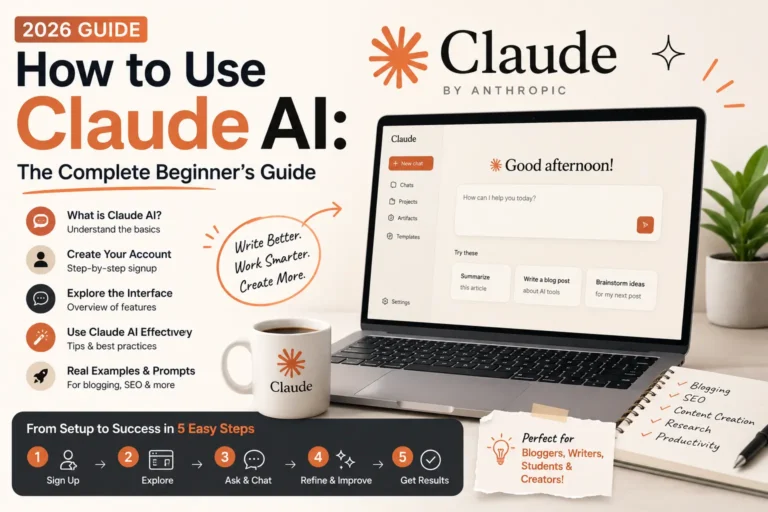
Claude is the AI tool most beginners discover second — and many end up preferring it. Built by Anthropic, Claude hit #1 on the App Store in February 2026 and grew 855% year-over-year. The reason is writing quality. When you read content Claude produces versus content from other tools, it sounds more like a thoughtful human wrote it. The transitions are natural, the phrasing is varied, and the structure reflects how a good writer would actually organize ideas.
What makes Claude especially trustworthy for beginners is its honesty. Where ChatGPT sometimes produces a confident-sounding but wrong answer, Claude more often says “I’m not certain about this” and tells you where to verify. For tasks where accuracy matters — professional communications, business analysis, client-facing content — this matters a lot. Claude makes a better collaborator than an oracle.
The Projects feature (Claude Pro) is genuinely transformative for regular users. Store your writing style, brand voice, and audience description once — and every subsequent conversation in that project starts with Claude already knowing your preferences. After one setup session, it feels like working with an assistant who has read everything you have ever written.
📋 Copy These for Your First Claude Session
Strengths
- Best long-form writing quality of any AI tool in 2026
- More honest about uncertainty — fewer confident errors
- Projects feature remembers your voice and preferences
- Reads instructions more carefully than competitors
- Fastest-growing AI platform (855% year-over-year)
Limitations
- No built-in image generation capability
- Free tier message limits hit faster than ChatGPT
- Smaller plugin and tool ecosystem
- Fewer beginner tutorials available compared to ChatGPT
Perplexity solves the problem that worries every beginner most: how do I know if the AI is actually telling me the truth? Every answer Perplexity gives you includes clickable links to the specific sources it used — and those sources are live web pages searched in real time, not training data from months ago. You can verify every claim yourself in seconds.
For students writing research papers, professionals checking market trends, journalists verifying facts, or anyone who needs current and trustworthy information, Perplexity is the most reliable free research tool available. The free tier includes unlimited searches — no daily limits, no credit card, no signup required for basic use. It is the most genuinely accessible tool on this list.
A powerful two-tool beginner workflow: use ChatGPT or Claude to write your first draft, then use Perplexity to fact-check any statistics or claims before you publish or send. This combination gives you writing speed plus accuracy at zero cost.
📋 Copy These for Your First Perplexity Session
Strengths
- Unlimited free searches — genuinely free, forever
- Every answer includes clickable source citations
- Real-time web search — always current information
- Best tool for fact-checking other AI outputs
- No signup required for basic use
Limitations
- Not a writing tool — research and summaries only
- Pro features ($20/mo) needed for deep research reports
- Less conversational than ChatGPT or Claude
Canva is the tool that makes “I’m not a designer” irrelevant. Its library of thousands of professionally designed templates means you never start from a blank page. Pick a template that roughly matches what you need, replace the text with your own, swap in your colors, and you have a professional-quality graphic in under 15 minutes. No design skills. No Photoshop. No expensive software.
Canva AI adds another layer on top: Magic Design (generate a complete layout from a text description), Magic Write (generate text copy directly inside your design), and Background Remover (cut subjects out of photos automatically). These features make the already-easy Canva experience even faster for beginners.
The free tier is genuinely comprehensive — not a stripped-down trial. Thousands of templates, drag-and-drop editing, direct download, and basic AI features are all available at no cost. For anyone who has been creating graphics in Microsoft Paint or paying for Canva Pro without knowing if it is worth it, start with the free tier and let results guide the decision.
📋 Your First Canva Session — Step by Step
Strengths
- Free tier covers most beginner needs comprehensively
- Thousands of professional templates for every format
- No design skills required whatsoever
- Magic Design generates layouts from a text prompt
- Works in any browser — no download needed
Limitations
- Premium templates and Brand Kit require Pro ($15/mo)
- AI image generation less photorealistic than Midjourney
- Not ideal for highly custom or complex illustrations
Google Gemini does something the other tools on this list cannot: it reads and understands images and documents. Take a photo of a handwritten note and ask Gemini to type it up. Upload a PDF and ask it to summarize the three most important points. Show it a screenshot of a confusing spreadsheet and ask it to explain what the numbers mean. For beginners who deal with visual information or long documents, this capability is uniquely valuable.
For Google Workspace users — Gmail, Google Docs, Google Sheets — Gemini integrates directly into those tools. Click “Help me write” in Gmail, “Help me create a template” in Docs, or ask Gemini to explain a formula in Sheets, all without leaving the application you are already using. This native integration removes the friction of switching tabs that makes other AI workflows feel clunky.
Strengths
- Analyzes images and documents — genuinely unique capability
- Native integration into Google Docs, Gmail, and Sheets
- Real-time Google Search integration
- Imagen 3 image generation built in
- Free daily access available
Limitations
- Daily prompt limits on free tier
- Writing quality below Claude for long-form content
- Less creative than ChatGPT for brainstorming tasks
Microsoft Copilot represents the lowest-friction AI starting point for anyone who already uses Microsoft Office. Open Word, click “Copilot” in the sidebar, and ask it to help you draft, restructure, or summarize your document. In Excel, ask it to explain data patterns or build formulas. In Outlook, ask it to suggest a professional reply to an email you are not sure how to respond to. In Teams, ask it to summarize a meeting transcript you missed.
You do not learn a new app. You do not change your workflow. You add AI capability to the tools you already open every morning. For complete beginners who find the idea of “AI tools” overwhelming, this lowest-possible-barrier entry point often produces the first genuine “this actually saves me time” experience.
Strengths
- Zero learning curve — it is inside tools you already know
- Writing, Excel formulas, email drafting in one familiar place
- Meeting summarization in Teams
- Free basic access with any Microsoft account
Limitations
- Full deep integration requires a paid Microsoft 365 plan
- Less powerful outside the Microsoft app ecosystem
- Writing quality below Claude for creative content
Notion is where you organize everything — notes, projects, content calendars, databases, personal goals — and Notion AI layers intelligent writing assistance directly inside that workspace. The key advantage over standalone AI tools: Notion AI understands the context of what you are already working on. If your research notes are already in Notion and you ask the AI to “help me write a blog post from these notes,” it does not need you to copy-paste anything. The context is already there.
For students, content creators, project managers, and anyone building systems for managing their work and thinking, this combination of organization and AI is uniquely powerful. The template library (hundreds of options, all free) provides structure immediately, and Notion AI helps you fill that structure with content faster.
Strengths
- AI integrated inside your existing notes and projects
- Understands context of what you are working on
- Excellent for content calendars and project management
- Hundreds of free templates to start immediately
Limitations
- AI add-on costs extra on top of your Notion plan
- Notion itself has a learning curve for brand new users
- Less powerful than Claude or ChatGPT for pure writing tasks
All 7 Tools Compared — At a Glance
| Tool | Best Use | Free Tier | Paid Upgrade | Score |
|---|---|---|---|---|
| ChatGPT | Writing, brainstorming, explaining | Yes — GPT-4o mini | $20/mo Plus | ⭐ 9.4/10 |
| Claude AI | Long-form content, quality writing | Yes — limited msgs | $20/mo Pro | ⭐ 9.6/10 |
| Perplexity AI | Research, fact-checking, sources | Yes — unlimited | $20/mo Pro | ⭐ 9.2/10 |
| Canva AI | Graphics, presentations, design | Yes — comprehensive | $15/mo Pro | ⭐ 9.0/10 |
| Google Gemini | Documents, images, Google apps | Yes — daily limit | $19.99/mo | ⭐ 8.8/10 |
| Microsoft Copilot | Office documents, emails, Excel | Yes — basic | Included in M365 | ⭐ 8.5/10 |
| Notion AI | Notes, projects, content planning | Limited AI included | $10/mo add-on | ⭐ 8.3/10 |
The Right AI Stack for Your Budget
Free Start
Covers 80% of what most beginners need — writing, research with sources, and professional design.
Serious Beginner
Best writing quality + unlimited research + professional graphics. The sweet spot for regular users.
Freelancer/Business
Publication-quality writing + branded visuals. Replaces multiple hours of contractor work weekly.
Google User
AI inside your existing Google tools, research with citations, and design — entirely free.
📖 Running a Blog? Read the In-Depth Blogger Guide
We tested all these tools specifically for blogging workflows — with scored reviews, side-by-side writing outputs, and a full AI stack recommendation for content creators.
Read the Blogger Guide →Your First 7 Days With AI Tools — A Plan That Actually Builds Habits
The biggest beginner mistake is downloading every tool at once and using none of them consistently. This one-goal-per-day structure builds real competence over a week:
Create Accounts Only (15 minutes)
Sign up for ChatGPT, Perplexity, and Canva — all free. Do not try to produce anything impressive. Open each interface, look around for five minutes, and notice where the text input is. Familiarity first. Productivity follows.
Your First Real ChatGPT Task
Think of one thing you actually need to write this week — an email, a caption, a paragraph. Use the specific prompt format: “Write a [type] about [topic] for [audience], [tone requirement], [length].” Compare the specific version to a vague version and notice the difference in quality.
Research Something With Perplexity
Pick a topic you genuinely want to know more about. Ask Perplexity and click two of the cited sources to verify accuracy. Build the habit of checking AI information rather than accepting it at face value.
Create Your First Canva Design
Make one real graphic — a social media post, a presentation slide, a simple flyer. Pick a template, change the text and colors, and download it. Post it somewhere. Seeing your first real output changes your relationship with these tools.
Try Claude for the Same Writing Task
Give Claude the same task you gave ChatGPT on Day 2. Compare outputs honestly: which required less editing? Which matched your intended tone better? This comparison is the start of genuine tool literacy.
Build Your First Multi-Tool Workflow
Combine tools: Perplexity to research a topic (with sources) → paste notes into Claude to write a short article → Canva to create a graphic. This three-tool workflow shows how AI tools compound each other’s value.
Decide What to Keep
Which tool saved you actual time? Which output could you really use or publish? That tool earns a permanent place in your week. The others stay available for when you need them. Sustainable AI use is built on usefulness, not novelty.
5 Mistakes Every Beginner Makes — And the Exact Fix
1. Writing Vague Prompts and Getting Generic Outputs
“Write me a blog post” produces something you could have found anywhere. The AI is not lazy — it simply does not know who you are, who you are writing for, or what matters to you. Specificity is the whole game.
2. Accepting the First Response Without Refining It
The first AI output is a draft, not a product. Beginners often read “close but not right,” give up, and conclude AI does not work. The real workflow is: prompt → evaluate → refine — repeat as needed.
3. Using One Tool for Everything
Using ChatGPT for research produces outdated or fabricated information. Using a writing tool for design is a category mismatch. Different tools have genuine, measurable strengths for different tasks.
4. Trusting AI for Important Facts Without Verification
AI tools can confidently state wrong information. Statistics, recent events, legal and medical information are all areas where AI errors can cause real harm if acted on without checking.
5. Pasting Sensitive Data Into Free AI Tools
Many free AI tools use your conversations to improve their models. Confidential client information, proprietary business strategy, or personal data pasted into a free tool may be used in ways you did not expect or authorize.
🎯 The Mindset Shift That Changes Everything
Stop thinking of AI tools as a “do it for me” button. Start thinking of them as a very fast first-draft collaborator. You bring knowledge, judgment, and the final editorial eye. The AI brings speed, structure, and tireless availability. Together, you produce better work faster than either of you would alone. That partnership mindset is what separates people who get transformative results from people who try AI once and conclude it is overhyped.
Frequently Asked Questions: AI Tools for Beginners
Your Next Step Starts With One Tool, One Task, Right Now
Emma — the marketing consultant from the opening of this guide — did not start her AI journey by reading everything and downloading every app. She went home from that coffee shop, created one free account, typed one email she had been putting off, and was genuinely surprised that the first draft was almost ready to send. That was the moment everything changed for her.
You now have more than she did going in. Seven tools reviewed in depth. Copy-paste prompts for each one. A 7-day plan. A clear picture of which tool to use for which task. The only variable is whether you take the first step today or keep waiting for a better moment. There is no better moment. There is only the moment you actually start.
Go to chat.openai.com or claude.ai right now. Create a free account. Type something you genuinely need done today — an email, a post, an explanation of something you have been confused about. Press Enter. See what comes back.
You do not need to be technical. You do not need to understand how any of this works. You need a real task, a plain English description of it, and the willingness to press Enter. Every experienced AI user started exactly there.
Last updated: July 31, 2026. All tool pricing and free tier availability verified at time of publication. Review each tool’s website for the most current terms as these change frequently.